
About Solana
Solana is a high-throughput blockchain known for fast transaction speeds and low fees, combining proof-of-stake consensus with a timestamping mechanism called proof-of-history.
Donate Solana or send leftover SOL
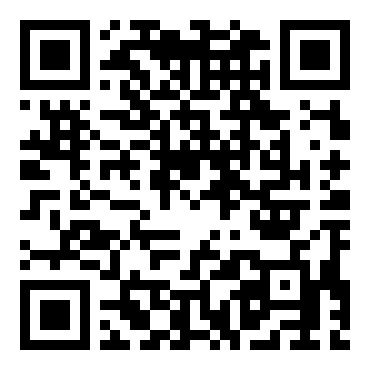
Whether you're looking to donate Solana, figure out what to do with leftover SOL, or just clear a small amount of SOL dust out of an old wallet, this page covers it — scan the QR code below or copy the address, no account or minimum required.
Solana wallet address
Scan the QR code or copy the address below. Double-check it's on the Solana Network before sending.
Why people send leftover Solana
Solana requires a small amount of SOL to be held in each account to stay 'rent-exempt,' and closing token accounts or old wallets can leave small, awkward leftover balances that are barely worth tracking individually.
How to send it
Find the withdraw or send option for SOL.
Scanning is usually fastest from a phone; copy/paste works well on desktop.
Solana is not an EVM-compatible chain, so this address only works on the Solana network itself — it will not work if you try to send from an Ethereum-based wallet expecting an 0x-style address.
Once everything matches, confirm the transaction. You can verify it landed using the Solscan link above.
Fees to expect
Solana transaction fees are typically a small fraction of a cent, among the lowest of any major network, so moving even very small SOL balances rarely costs a meaningful percentage of the amount.